Your journal, your lock.
Turn on the optional journal lock to use Face ID, Touch ID or your device passcode. It is off by default. This protects access on the device; it is not an additional layer of content encryption.
 Flecty
Apple Watch + Flecty
No extra device to buy, charge or clip on.
 A little less to carry. A little more to keep.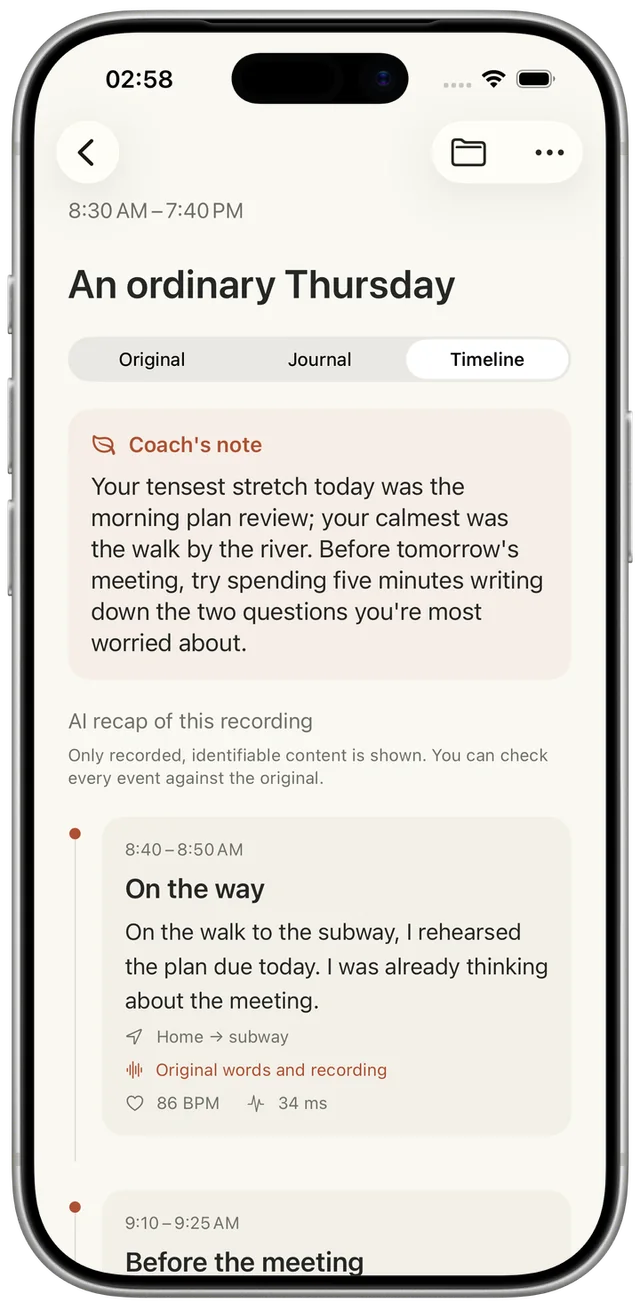
From a passing thought to a day worth keeping
01 / A quieter way to remember
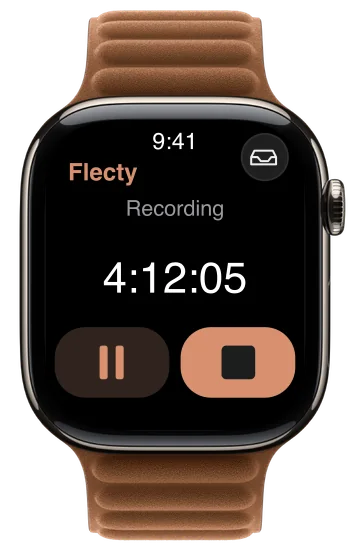
Start a recording on Apple Watch. It can keep recording when you lower your wrist.
Flecty turns your recordings into a timeline of moments you can return to.
A journal in your words, with the original recording always there to replay.
Apple Watch recording requires BYOK or All-inclusive. Prefer your iPhone? You can record there, too.
02 / The shape of your day
The walk. The meeting. The idea on your way home. Your recordings become readable event cards, with source times and a way back to your own words.
An illustrative day
Home → subway
Office
Back to your own words
Example Apple Health samples
86 BPMHeart rate
34 msHRV
Location and health access are off by default. Health values appear only when samples are available. They are not medical advice.
03 / A little perspective
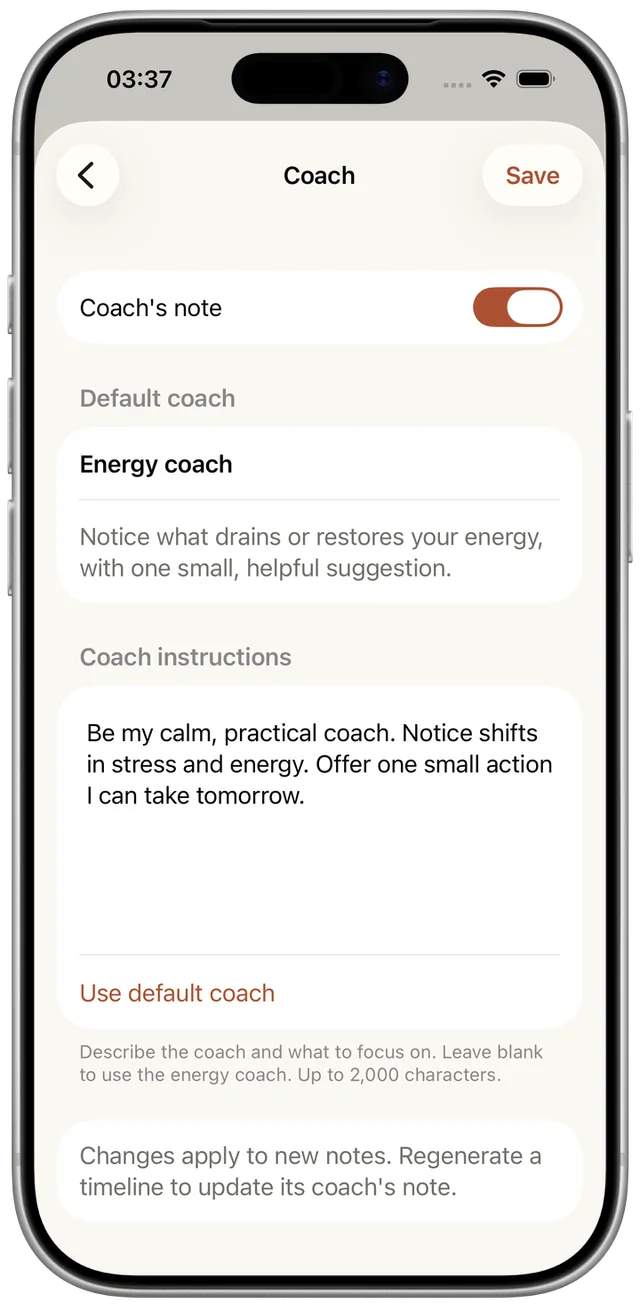
A thoughtful suggestion from what you recorded, when there is something worth noticing. You decide what kind of coach it is, and what matters to you.
Write the role. Set the focus. Or turn it off.
04 / Your voice, on the page
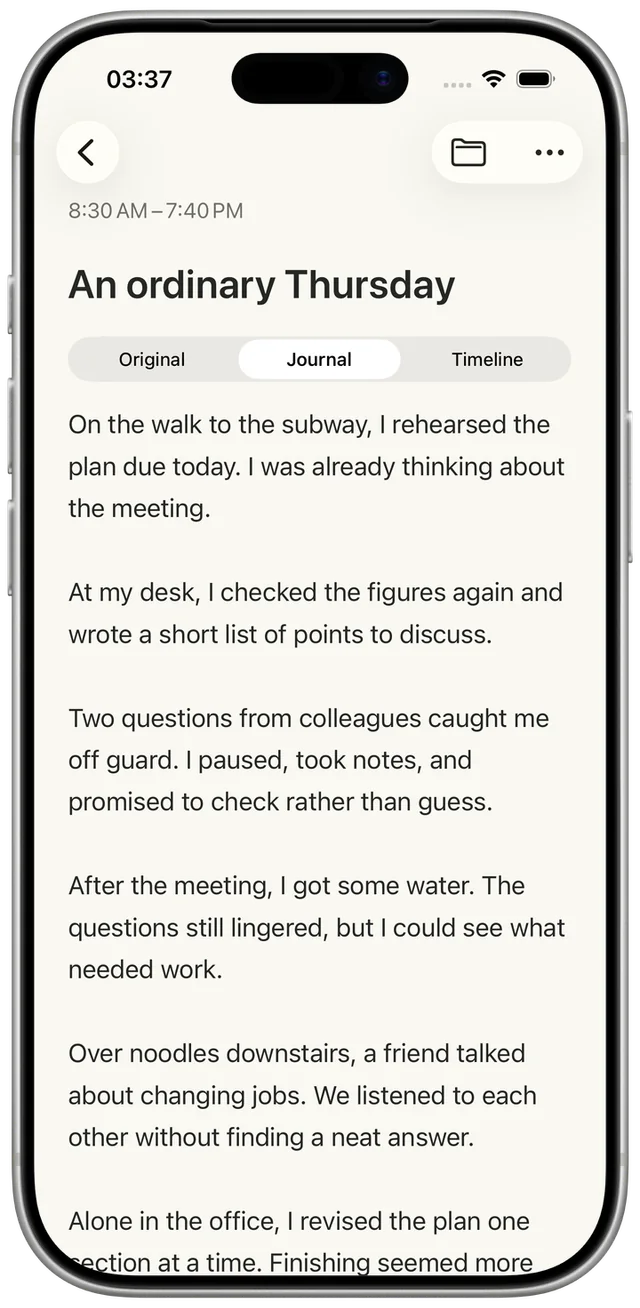
A passing thought becomes something you can read. Keep it simple, or choose a writing style that feels like you.
Your original words are kept separately. Your original voice is ready to replay.
05 / A space of your own
Your day is personal. Know what stays, what syncs, and what is sent for AI processing.
Turn on the optional journal lock to use Face ID, Touch ID or your device passcode. It is off by default. This protects access on the device; it is not an additional layer of content encryption.
With a paid plan and sync enabled, saved recordings and completed journal content sync through your private iCloud. Health samples are not included.
Cloud transcription, including the free allowance, sends audio to Flecty’s transcription service. With BYOK, audio and text go directly to your selected AI provider. Writing, timelines and coaching also process text using your selected route.
Location and Apple Health access are optional and off by default. Health values stay out of AI requests. If you enable location, approximate area names may be used to add timeline context.
Read the privacy policy06 / Your AI, your way
The same place for your recordings, your journal and your perspective. Two ways to bring the AI.
Bring your own AI
Pay once to unlock every feature. Connect your own AI.
AI usage is billed separately by your provider. The app purchase does not include API credit.
View in the App StoreWe handle the AI
Ready when you are. No API key or setup needed.
Counts successfully transcribed uploaded audio. Silence is removed by default. Allowance resets each UTC calendar month, with no rollover.
View in the App StoreUS reference prices. Regional pricing and plan availability are shown in the App Store.
07 / A few things to know
Flecty is a voice journal for iPhone and Apple Watch. It turns recordings into text, journal entries, event timelines and optional AI coaching, while keeping the original audio.
Apple Watch recording requires BYOK or All-inclusive, with paid access synced from iPhone. Choose a folder and tap the microphone in Flecty on Apple Watch. An actively started recording can continue when you lower your wrist or return to the watch face. You can pause, resume or finish it. System interruptions, battery and available storage still affect recording; no all-day battery duration is guaranteed.
Flecty has 18 interface languages. Transcription language options are listed in the app’s settings, including automatic detection. Interface language support does not guarantee identical transcription support across AI providers.
Cloud transcription, including the free allowance, sends audio to Flecty’s transcription service for processing. BYOK sends audio and text directly to your selected OpenAI or OpenRouter service. AI writing, timelines and coaching process text too. If private iCloud sync is enabled, saved audio and completed journal content also sync through your iCloud.
BYOK means Bring Your Own Key. It is a one-time app purchase with a US reference price of $9.90. Add your own OpenAI or OpenRouter API key in Flecty. Your provider bills AI usage separately and may set its own limits; Flecty does not impose a BYOK transcription quota.
All-inclusive has a US reference price of $49.99 per year and includes 5,000 cloud transcription minutes per UTC calendar month. Only successfully transcribed uploaded audio counts. Silence is removed by default; if you choose to upload the full audio, that full duration counts. Recording, pausing, saving and playback do not use the allowance. Unused minutes do not roll over.
You can use 2 free cloud transcriptions each day, with up to 60 seconds of uploaded audio from each recording. The limit applies to uploaded audio, not iPhone microphone capture. The daily allowance is per connection IP and UTC day, so people on one network may share it. Apple Watch recording requires BYOK or All-inclusive.
Heart rate and HRV come from existing Apple Health samples after you enable access in settings. Access is off by default, and values appear only when readable samples match the recording interval. Flecty does not continuously monitor vital signs, infer health values or offer medical diagnosis. Health values are not sent to AI services.
Saved recordings and completed journal content can sync through your private iCloud with a paid plan and sync enabled. Flecty shows the actual sync status in settings. Sync works while the app is in the foreground; unfinished transcription work stays on its original device.
Yes. Enable the journal lock in settings to use the device’s Face ID, Touch ID or passcode. The lock is off by default and protects access on that device. It does not add separate content encryption or end-to-end encryption.
Email [email protected] for support, privacy questions or data requests.
Yes. Edit the coach’s role and instructions in settings, or turn coaching off. It uses the transcript for the current recording’s timeline and may return no suggestion. It does not read heart rate or HRV, provide a medical diagnosis, or claim to summarize an unrecorded day.
Flecty
Start with a thought. Let the rest become a story.
Get Flecty